Adding US Holidays to Outlook

In Outlook 2007
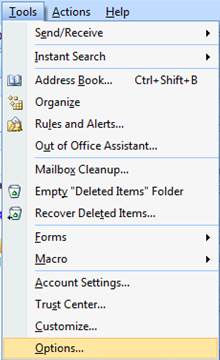
Go to Tools > Options
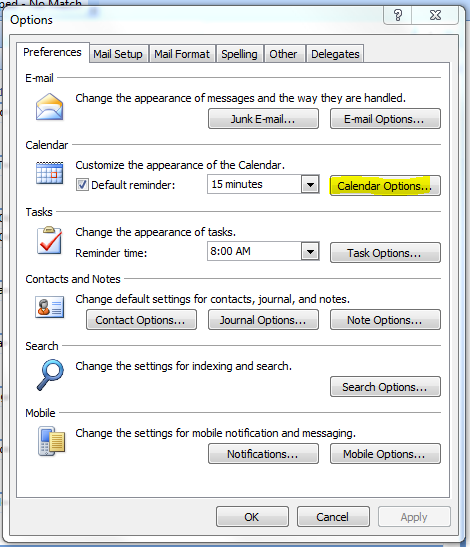
Select "Calendar Options"
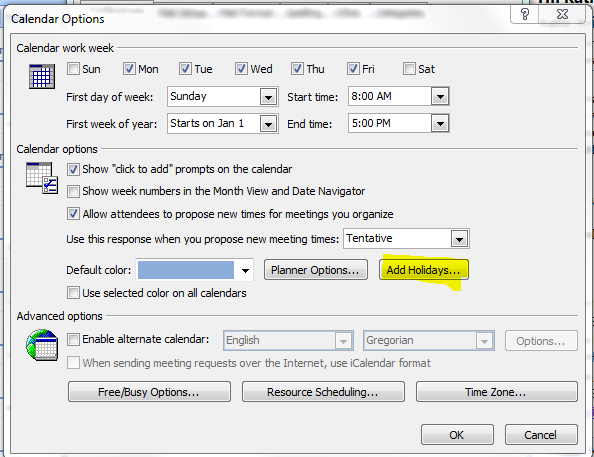
Select "Add Holidays..."
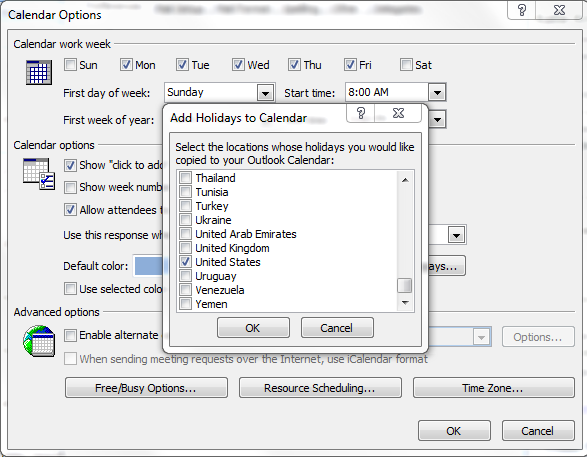
Select the location whose holidays you would like, and hit OK
Your calendar will update with the holidays.
In Outlook 2010
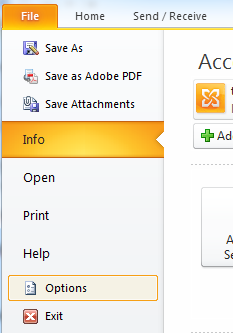
Go to File > Options
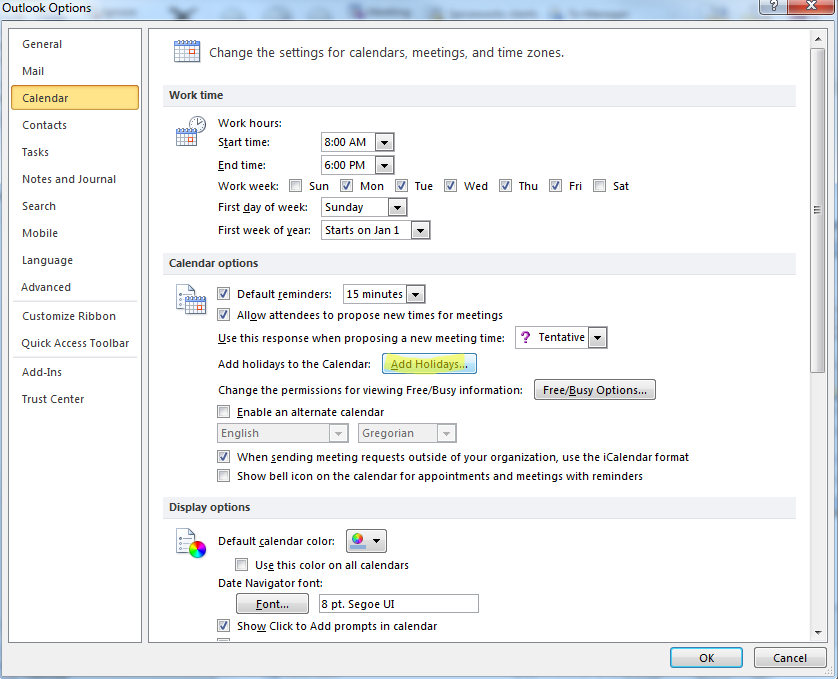
Select Calendar, and go to "Add Holidays..."
Select the location whose holidays you would like and hit OK
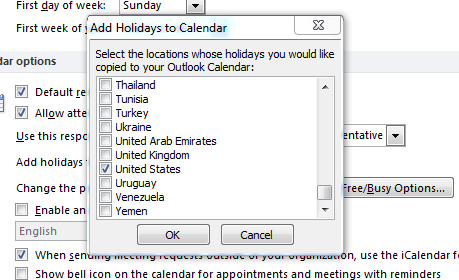
Your calendar will update with the holidays.
0
Please sign in to leave a comment.
Comments
0 comments